Blogs
What Is AMD and How Do AMD Ryzen Processors Work?

AMD is a major name in modern computing, powering everything from personal computers and gaming systems to servers and artificial intelligence infrastructure. But what is AMD, what does the company actually make, and how do its products affect everyday users?
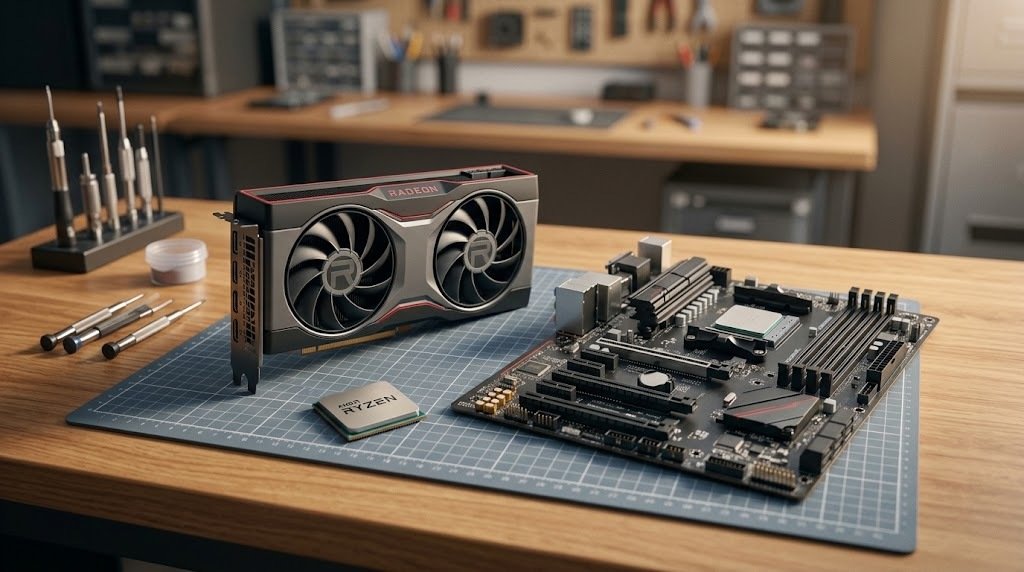
AMD, short for Advanced Micro Devices, is a semiconductor company that develops processors, graphics technologies, AI accelerators, and adaptive computing products. Its best-known consumer brands include AMD Ryzen processors for computing and AMD Radeon graphics for gaming and visual workloads.
Whether you are buying a laptop, building a gaming PC, upgrading an existing computer, or simply researching technology, understanding AMD can help you make better-informed decisions. The company competes in several parts of the computing market, so its products serve different needs rather than one specific type of customer.
This guide explains AMD’s history, major products, processor and graphics technologies, practical uses, and key considerations when comparing computer hardware. It also explains how to find official drivers and support resources without relying on outdated downloads or confusing product names.
What Is AMD and What Does the Company Do?
AMD stands for Advanced Micro Devices. Founded in 1969, the company has grown from an early semiconductor manufacturer into a global supplier of high-performance computing and adaptive computing technology. Its products serve consumers, businesses, data centers, gaming platforms, and embedded systems.
Unlike a company that focuses only on finished computers, AMD develops chips and related technologies that other manufacturers can incorporate into laptops, desktop PCs, workstations, servers, and other electronic systems.
What products does AMD make?
AMD’s product portfolio includes several important categories:
- CPUs: Processors that execute instructions and manage general computing tasks.
- GPUs: Graphics processors used for gaming, rendering, visualization, and certain computing workloads.
- AI accelerators: Specialized hardware designed to accelerate artificial intelligence and machine learning workloads.
- Server processors: Chips built for cloud computing, enterprise applications, and data centers.
- Adaptive computing products: Technologies such as field-programmable gate arrays (FPGAs) and system-on-chips used in specialized applications.
- Software and development tools: Applications, drivers, libraries, and utilities that help users and developers work with AMD hardware.
The company’s portfolio includes Ryzen, Radeon, EPYC, Instinct, and Versal product families, each serving different computing requirements.

When was AMD founded?
AMD was formally incorporated on May 1, 1969, by Jerry Sanders and seven colleagues. The company initially focused on semiconductor products and gradually expanded into more advanced computing technologies.
Over time, AMD became known for its competition in the desktop processor market and later expanded its presence in graphics, server computing, and AI-related hardware. Its development illustrates how a semiconductor company can evolve as computers become more powerful and computing workloads become more demanding.
What Are AMD Ryzen Processors?
AMD Ryzen processors are CPUs designed for personal computing, including desktops, laptops, gaming systems, and workstations. They handle the calculations and instructions needed to run operating systems, applications, games, and creative software.
The Ryzen name covers a broad product family. Two computers carrying AMD branding may perform very differently because their processors can have different architectures, core counts, power limits, clock speeds, and integrated graphics capabilities.
How do AMD Ryzen processors work?
A CPU receives instructions from software and processes them using its computing cores. More cores can help with workloads that can run several tasks in parallel, while per-core performance can influence applications that depend heavily on individual processing threads.
Other specifications matter too. Cache, memory support, power consumption, cooling, and processor generation can all affect real-world results.
For example, consider two people choosing computers:
- A student who mainly uses a browser, documents, video calls, and spreadsheets may be well served by an efficient entry-level or midrange Ryzen system.
- A video editor who regularly exports complex projects may benefit from a processor with stronger sustained multicore performance, sufficient memory, and fast storage.
The best choice depends on the applications being used, not simply the product’s name or advertised clock speed.
What are the main Ryzen processor categories?
Ryzen product families cover several types of users. Exact specifications vary by model and generation.
| Product family | Typical use |
|---|---|
| Ryzen 3 | Everyday computing and budget-focused systems |
| Ryzen 5 | General productivity, gaming, and multitasking |
| Ryzen 7 | Higher-performance gaming and demanding applications |
| Ryzen 9 | Enthusiast computing and intensive workloads |
| Ryzen Threadripper | High-end workstations and heavily parallel professional tasks |
| Ryzen AI | Selected PCs with dedicated AI acceleration capabilities |
These are general positioning guidelines rather than guaranteed performance rankings. A newer midrange chip may outperform an older higher-tier model in some tasks, while a specialized processor may be better suited to a particular workload.
Are AMD Ryzen processors good for gaming?
AMD Ryzen processors can be excellent gaming CPUs, but performance depends on the exact processor, graphics card, game, resolution, and system configuration.
A gaming PC combines several components. The CPU processes game logic and other instructions, while the GPU renders images. If the GPU is already working at full capacity, a faster CPU may produce only a small improvement in frame rates. In CPU-limited games, however, a stronger processor can make a noticeable difference.
Before choosing a gaming processor, consider:
- The games you play and their performance requirements.
- Your target resolution and refresh rate.
- Whether you stream, record, or run other applications while gaming.
- The cost of the processor, motherboard, cooling, and memory together.
- Whether your existing graphics card will limit performance.
What Is the Difference Between AMD Ryzen and Radeon?
Ryzen and Radeon are both AMD brands, but they serve different purposes.
Ryzen generally refers to AMD processors, while Radeon refers to AMD graphics products. Understanding that distinction makes it easier to compare computer specifications and identify which component needs an upgrade.
What does AMD Radeon do?
AMD Radeon is the company’s graphics brand. Radeon graphics products include desktop graphics cards, laptop graphics solutions, and professional graphics products.
A graphics processing unit, or GPU, performs the calculations needed to render images and can also accelerate other parallel workloads. For gamers, graphics hardware affects visual quality, resolution, frame rates, and support for graphics technologies.
Radeon products can also be relevant to:
- Video editing and media production.
- 3D rendering and visualization.
- Multi-monitor productivity setups.
- Certain GPU-accelerated computing applications.
The exact capabilities vary by product. A discrete graphics card is different from integrated graphics built into a processor, so buyers should check the full specification of the computer rather than assuming every AMD system includes a separate GPU.
What is the difference between integrated and dedicated graphics?
Integrated graphics are built into a processor or another main computing chip and typically share system memory. Dedicated graphics cards have their own GPU and generally include separate video memory.
Integrated graphics can be suitable for web browsing, office work, streaming, and some lighter games. A dedicated GPU is often more appropriate for demanding modern games, complex rendering, and graphics-heavy professional applications.
Neither option is automatically best for everyone. Integrated graphics can reduce cost, size, and power consumption, while a dedicated graphics card can deliver substantially more graphics performance when the workload requires it.

Which AMD Technologies Are Used in AI and Data Centers?
AMD’s business extends well beyond home computers. Its server processors, AI accelerators, and adaptive computing products support workloads that require substantial computing capacity, including cloud services, enterprise software, scientific research, and artificial intelligence.
What are AMD EPYC processors?
AMD EPYC is a family of server CPUs designed for data centers, cloud infrastructure, and enterprise computing.
Organizations use server processors to run databases, host websites, manage virtual machines, and support applications that may serve thousands or millions of users. Server buyers typically consider performance per watt, memory capacity, core count, security features, reliability, software compatibility, and the total cost of operating the system.
For example, a business moving a database to a new server should not select a CPU based on core count alone. It should also evaluate memory bandwidth, storage speed, licensing costs, application behavior, and the performance required during peak demand.
What are AMD Instinct accelerators?
AMD Instinct accelerators are designed for demanding computing workloads, including AI and high-performance computing. They are used in systems that need to process large amounts of data or perform many calculations simultaneously.
AI training and inference can require substantial computing resources. Accelerators help perform suitable calculations in parallel, while CPUs coordinate tasks and handle other parts of the workload.
However, buying an accelerator is only one part of building an AI system. Memory capacity, networking, software support, power delivery, cooling, and compatibility with development frameworks also influence the results.
AMD’s ROCm software ecosystem provides tools and libraries for GPU computing and supported AI workloads. Developers should check the current compatibility documentation before selecting hardware for a production application.
Why does AMD matter in the AI market?
AI systems need hardware for both general computing and specialized parallel processing. AMD participates in this market through server CPUs, Instinct accelerators, networking technologies, and related software.
The broader opportunity is not limited to training large AI models. Inference, enterprise applications, scientific computing, and AI-enabled services also create demand for computing infrastructure.
Still, hardware availability and software maturity matter as much as advertised performance. Businesses should evaluate supported frameworks, benchmark results relevant to their own workloads, and total system costs before committing to a platform.
Is AMD Better Than Intel or NVIDIA?
There is no universal winner. AMD, Intel, and NVIDIA offer products that overlap in some areas and differ significantly in others. The right comparison depends on the type of hardware and what you need it to do.
AMD vs. Intel: Which processor should you choose?
AMD CPU vs Intel compete in desktop and laptop CPUs, although the available models and strengths differ by product generation.
When comparing processors, examine these factors:
- Real-world performance: Look for benchmarks using the applications you actually run.
- Total platform cost: Include the motherboard, cooling, memory, and other required components.
- Power efficiency: Consider electricity use, heat output, and laptop battery life.
- Upgrade options: Check motherboard compatibility, firmware support, and the manufacturer’s upgrade policy.
- Software compatibility: Confirm that the processor and platform support your operating system and required applications.
A processor that performs exceptionally well in one benchmark may not lead in every application. Reviews using several workloads provide a more useful picture than a single headline score.
AMD vs. NVIDIA: Which graphics brand is better?
AMD Radeon and NVIDIA GeForce graphics cards compete in gaming, while both companies also offer technologies for professional and accelerated computing. AMD’s Instinct and NVIDIA’s data-center accelerators target overlapping AI and high-performance computing needs.
For gaming, compare performance at your preferred resolution, available video memory, power consumption, supported features, driver reliability, and price. For AI or professional software, investigate the exact application and supported computing framework.
A practical way to compare two graphics cards is to use benchmarks from the same reviewer, with the same game or workload, resolution, quality settings, and test system. That approach reduces the chance of drawing conclusions from inconsistent testing.
How should you evaluate AMD before buying?
Use this simple comparison framework:
| Your main priority | What to check |
|---|---|
| Everyday laptop use | Battery life, responsiveness, price, and memory |
| PC gaming | CPU and GPU benchmarks at your target resolution |
| Video editing | Application-specific performance, RAM, and storage |
| AI development | Accelerator support, memory, frameworks, and software compatibility |
| Business servers | Performance per watt, reliability, security, and operating costs |
| Future upgrades | Socket or platform support and component compatibility |
The most expensive product is not necessarily the best value. A balanced system that fits your actual workload can provide a better experience than spending heavily on one component while neglecting the rest of the computer.
How Do You Download AMD Drivers and Get Support?
Drivers help an operating system communicate correctly with hardware. Installing the appropriate driver can resolve compatibility issues, improve functionality, and enable supported graphics features.
AMD provides official downloads, product documentation, specifications, software, and troubleshooting resources through its support website.
How to download AMD drivers safely
Follow these steps to find the correct software:
- Identify your hardware model. Determine whether you need a graphics driver, chipset driver, or another product-specific download.
- Select your product or use the available detection tools where appropriate.
- Check the operating system and product compatibility listed for the download.
- Review the release notes, then install the appropriate package and follow the on-screen instructions.
- Restart your computer if requested and check whether the original issue has been resolved.
Avoid downloading drivers from unfamiliar websites that bundle installers with unrelated software. A driver intended for a different device or operating system may not solve your problem and could cause further issues.
What should you do if an AMD driver causes problems?
If an issue starts immediately after a driver update, first identify the affected hardware and the software version you installed. Then consult AMD’s official release notes and troubleshooting resources.
You can also:
- Restart the computer and check whether the issue persists.
- Confirm that Windows or your other operating system recognizes the hardware correctly.
- Review known issues for your driver version.
- Follow AMD’s recommended recovery or clean-install procedure when appropriate.
- Consult official support or a relevant hardware community if the problem continues.
The AMD community on Reddit can provide useful troubleshooting experiences, but community posts are not official company guidance. Verify any suggested fix against your hardware documentation before changing system settings.
What Should You Know Before Buying AMD Hardware?
Choosing AMD hardware is easier when you start with your requirements rather than a brand name.
An example: Building a balanced gaming PC
Imagine a buyer has a fixed budget for a gaming computer. They initially consider spending more on a premium CPU because its name sounds more powerful.
However, the games they play are mostly GPU-intensive at their preferred resolution. After comparing consistent benchmarks, the buyer may discover that a less expensive CPU paired with a stronger graphics card provides better performance for those games.
This is an illustrative example, not a measured benchmark or a claim about a particular processor. It demonstrates an important buying principle: component balance often matters more than choosing the highest-tier part in isolation.
Five checks before making a purchase
- Check the exact model: Product families contain several generations and performance levels.
- Compare independent benchmarks: Use tests that match your intended workload.
- Verify compatibility: Check the motherboard socket, supported memory, power supply, cooling, and case dimensions.
- Consider the complete cost: Include supporting components and any software requirements.
- Check ongoing support: Review driver availability, warranty terms, and the manufacturer’s documentation.
For laptop buyers, also compare display quality, keyboard comfort, portability, battery life, and cooling. A laptop’s overall design can matter more to daily use than a small difference in processor performance.
For desktop builders, confirm that all parts work together before purchasing. A compatible CPU alone does not guarantee that every motherboard, memory kit, or cooler will work without additional requirements.
What Is AMD Stock, and Why Do People Follow It?
AMD is also a publicly traded company. Its shares trade on the Nasdaq stock market under the ticker symbol AMD.
People who research AMD stock may be interested in its processor sales, data-center business, AI demand, competition, product launches, and financial results. These factors can influence how investors assess the company’s future prospects.
However, a company’s technology products and its stock performance are two different subjects. Strong product demand does not automatically mean that a stock is attractively valued at its current price.
Before evaluating AMD as an investment, consider:
- Revenue growth and profitability.
- Competition and product execution.
- Demand for AI and data-center infrastructure.
- Manufacturing capacity and supply-chain risks.
- Valuation compared with expected future performance.
- Your own investment objectives and tolerance for risk.
For current share prices, company announcements, and financial information, Historical performance and market commentary cannot guarantee future returns.
Conclusion: Is AMD Worth Learning About?
AMD is an important technology company whose products support personal computing, gaming, professional workstations, data centers, and AI infrastructure. Its Ryzen processors serve a wide range of computing needs, Radeon products handle graphics workloads, and EPYC and Instinct products target server and accelerated computing applications.
The most useful way to understand AMD is to look beyond the brand name. Identify the product category, compare the specifications that matter for your workload, check independent benchmarks, and verify compatibility before buying hardware.
If you are researching a computer upgrade, start with AMD’s official product catalog and support resources. They can help you identify the right hardware family, check technical specifications, and find the software needed to keep a compatible system working properly.
FAQ Section
What does AMD stand for?
AMD stands for Advanced Micro Devices. It is a semiconductor company that develops processors, graphics products, AI accelerators, and other computing technologies.
What is AMD best known for?
AMD is widely known for Ryzen processors, Radeon graphics products, EPYC server CPUs, and Instinct accelerators used in AI and high-performance computing.
Are AMD Ryzen processors good?
Yes, AMD Ryzen processors can be excellent for everyday computing, gaming, multitasking, and professional workloads. The best choice depends on the exact model, application requirements, budget, and overall computer configuration.
Is AMD better than Intel?
Neither company is universally better. AMD and Intel offer processors with different performance characteristics, prices, power requirements, and platform features. Compare specific models using relevant independent benchmarks.
Is AMD Radeon the same as AMD Ryzen?
No. Ryzen is AMD’s processor brand, while Radeon is its graphics brand. Some Ryzen processors include integrated graphics, but not every Ryzen-based computer has a separate Radeon graphics card.
Where can I download AMD drivers?
Download compatible AMD drivers and software. Check your hardware model and operating system before installing.